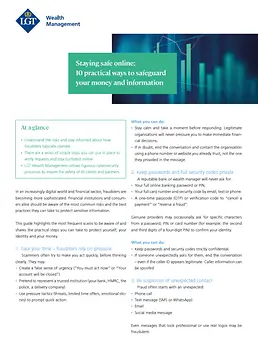
Understand the risks and stay informed about how fraudsters typically operate.
There are a series of simple steps you can put in place to verify requests and stay confident online.
LGT Wealth Management utilises rigorous cybersecurity processes to ensure the safety of its clients and partners.
In an increasingly digital world and financial sector, fraudsters are becoming more sophisticated. Financial institutions and consumers alike should be aware of the most common risks and the best practices they can take to protect sensitive information.
In the following guide, LGT Wealth Management Security Risk Manager, Kevin Ellis, highlights the most frequent scams he and his team witness, and shares the practical steps you can take to protect yourself, your identity and your money.
1. Take your time – fraudsters rely on pressure
Scammers often try to make you act quickly, before thinking clearly. They may:
Create a false sense of urgency (“You must act now” or “Your account will be closed”).
Pretend to represent a trusted institution (your bank, HMRC, the police, a delivery company).
Use pressure tactics (threats, limited time offers, emotional stories) to prompt quick action.
What you can do:
Stay calm and take a moment before responding. Legitimate organisations will never pressure you to make immediate financial decisions.
If in doubt, end the conversation and contact the organisation using a phone number or website you already trust, not the one they provided in the message.
2. Keep passwords and full security codes private
A reputable bank or wealth manager will never ask for:
Your full online banking password or PIN.
Your full card number and security code by email, text or phone.
A one-time passcode (OTP) or verification code to “cancel a payment” or “reverse a fraud”.
Genuine providers may occasionally ask for specific characters from a password, PIN or card number (for example, the second and third digits of a four‑digit PIN) to confirm your identity.
What you can do:
Keep passwords and security codes strictly confidential.
If someone unexpectedly asks for them, end the conversation – even if the caller ID appears legitimate. Caller information can be spoofed.
3. Be suspicious of unexpected contact
Fraud often starts with an unexpected:
Phone call
Text message (SMS or WhatsApp)
Email
Social media message
Even messages that look professional or use real logos may be fraudulent.
What you can do:
Avoid clicking on links or opening attachments in messages you weren’t expecting.
If you receive an unexpected call about your personal banking, end the call and contact the company using a number on its website, the back of your card or your regular relationship manager.
4. Watch out for impersonation scams
In impersonation scams, criminals pose as trusted organisations or individuals to convince you to move money or share sensitive information. They may claim to represent:
Your bank or wealth manager
Government agencies or tax authorities
Police or law enforcement
Well-known delivery or utility companies
They will often:
Use spoofed phone numbers or email addresses that appear genuine.
Know personal details about you.
Ask you to move money to a “safe account” or confirm transactions urgently.
Scammers are also increasingly using deepfakes – highly realistic fake audio or video generated by Artificial Intelligence (AI) – to make these scams more convincing. For example, they may:
Use a fake video or voice message that looks or sounds like your adviser, a senior company executive or a family member.
Imitate someone’s tone, accent and mannerisms to pressure you into acting quickly.
Send pre-recorded voice notes or video clips instead of speaking live, to hide glitches or inconsistencies.
What you can do:
Treat any unexpected request about payments or security matters with caution, even if it sounds convincing or uses the correct personal details.
Be extra careful with instructions received by voicenote or video – if anything feels unusual (such as tone, urgency or wording), independently verify them using known contact details.
Never move money to a “safe account” on the instruction of a caller or texter – this is a common fraud tactic.
End the conversation and contact the organisation using details from its official website or your usual relationship manager.
Where possible, agree a trusted communication route with your bank or adviser and use only that for financial instructions.
5. Use strong, unique passwords
Weak or repeated passwords make it easier for criminals to gain access to your accounts.
What you can do:
Use a different password for your email than for banking or investment accounts.
Choose long, memorable passwords rather than short and complex ones.
Use a passphrase made of several random words (for example: blue-mountain-window-garden).
Consider using a reputable password manager to store and create strong passwords for you.
Your email account is especially important. If criminals access your email account, they may be able to reset other passwords thereby weakening your cybersecurity in all areas, including banking.
6. Turn on two-step verification (where available)
Two-step verification (also called two-factor authentication or 2FA) adds an extra check when you log in – for example, a code is sent to your phone or generated by an app as an additional step, after entering your usual email/username and password.
This matters because even if someone knows your password, they cannot access your account without the second step – and the 2FA code will be accessible via your phone/app only.
What you can do:
Turn on two-step verification for:
Email accounts
WhatsApp
Online banking and investment portals
Major services you rely on (e.g. cloud storage)
7. Check payment details very carefully
Criminals may try to redirect payments by sending a fake invoice or an email appearing to come from a trusted contact with “updated bank details.”
What you can do:
Always verify payment details using a trusted method (for example, by calling a known number of your adviser) before making new or large payments.
Take extra care when sending large payments (such as property, investments or business payments) or when details change unexpectedly.
Treat any change of payment details as suspicious until confirmed through a trusted channel.
8. Be careful what you share online
Fraudsters often build profiles using information from social media, company websites and online directories to make scams more convincing.
What you can do:
Review your social media privacy settings regularly.
Avoid sharing details such as your full date of birth, home address, names of family members or pets (often used in security questions or passwords) or travel plans.
Be selective when accepting new connection requests or followers.
9. Keep your devices up to date
Simple maintenance can significantly reduce risk.
What you can do:
Keep your phone, tablet and computer updated with the latest software.
Install trusted security software where appropriate.
Only download apps from official app stores.
Avoid using public Wi‑Fi for sensitive tasks like online banking. If necessary, use your mobile data or a trusted private network.
10. If something feels wrong, act quickly and speak up
Anyone can be vulnerable to sophisticated scams. Fraudsters depend on hesitation or embarrassment to delay action.
If you think you may have shared personal or security details, clicked a suspicious link or sent money to the wrong account, take swift steps to protect yourself.
What you can do:
Contact your provider immediately using a trusted number.
Notify your relationship manager or regular contact.
Change any passwords you think might be affected.
Keep records of what happened (emails, texts, screenshots, times and amounts).
Reporting the incident quickly can limit the damage and may help recover funds.
Summary: your simple security checklist
Use this quick checklist to stay safe:
Pause and do not rush before acting on any message about your money.
Never share full passwords, card details, PINs or one-time codes.
Be cautious of unexpected calls, emails and texts.
Verify payment details before sending large sums.
Use strong, unique passwords and two-step verification where possible.
Limit the personal information you share online.
Contact your provider immediately if something seems wrong.
Staying safe doesn’t require technical expertise – just a few consistent habits and a healthy level of caution. If you are ever unsure, it is always better to ask and verify before acting.
At LGT, the cybersecurity of our clients is of the utmost importance. We implement rigorous security measures, ensure all necessary legal, regulatory and business requirements are met and provide our security functions with the resources and expertise they need to safeguard sensitive information.
This communication is provided for information purposes only. The information presented herein provides a general update on market conditions and is not intended and should not be construed as an offer, invitation, solicitation or recommendation to buy or sell any specific investment or participate in any investment (or other) strategy. The subject of the communication is not a regulated investment. Past performance is not an indication of future performance and the value of investments and the income derived from them may fluctuate and you may not receive back the amount you originally invest. Although this document has been prepared on the basis of information we believe to be reliable, LGT Wealth Management UK LLP gives no representation or warranty in relation to the accuracy or completeness of the information presented herein. The information presented herein does not provide sufficient information on which to make an informed investment decision. No liability is accepted whatsoever by LGT Wealth Management UK LLP, employees and associated companies for any direct or consequential loss arising from this document.
LGT Wealth Management UK LLP isauthorised and regulated by the Financial Conduct Authority in the United Kingdom.
About the author
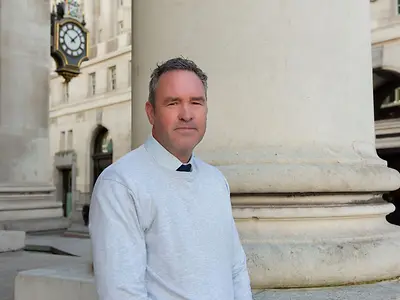
Kevin EllisSecurity Risk Manager
Kevin holds the position of Security Risk Manager at LGT Wealth Management and is responsible for information security and the physical security of our offices.
Kevin previously served in the Metropolitan Police’s Counter Terrorism Command, during which time he completed a Master’s degree in Cyber Crime Intelligence. He also holds the Certified Information Systems Security Professional (CISSP) certification.
Related content
Market View
Tax year end planning 2026
As we approach the end of the 2025/26 tax year on 5 April 2026, now is a good time to review your finances and make sure you are making full use of the tax allowances and reliefs available to you.
Market View
AI is rewriting the rules of software investing
As AI revolutionises the way software is built, investors are rethinking long‑held views on the sector’s resilience — with new tools lowering barriers to entry and testing the strength of once‑dependable margins.
Guide: Staying safe online
Discover 10 practical ways to protect your money and personal information online, from spotting fraud and verifying payments to using strong passwords and two-step verification.